
AppSheet
Build powerful, secure apps for business without coding.
What is AppSheet?
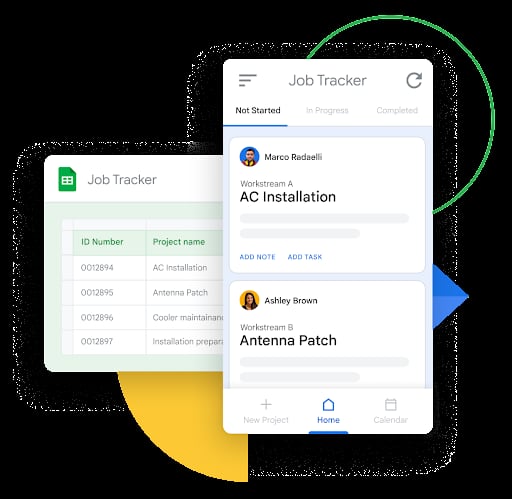
Try AppSheetAppSheet is a no-code app builder that helps teams create business applications and automations to boost productivity. You can build apps for how your organization works, including apps that run on desktop and mobile, and use Gemini to speed up app creation. AppSheet also supports workflow automation, rich data capture, and organizational governance.
What does AppSheet help you build without coding?
AppSheet helps you create business applications and automations without writing code. It’s designed for use cases like project management, operations, field work, human resources, sales, and marketing, and it includes tools for building forms-based experiences and workflows that fit your team’s process.
How does Gemini help with creating apps in AppSheet?
You can simply describe what you want your app to do, and Gemini helps make app creation and usage more efficient. The platform also supports infusing AI into apps to make them more intelligent and user-friendly.
What makes AppSheet easy for non-developers to use?
AppSheet is a true no-code platform, and the AppSheet Editor helps by auto-generating app prototypes with smart customization suggestions. For more advanced logic, it uses spreadsheet-like expressions to filter data, create dynamic UI elements, and set up automation.
What can you automate with AppSheet?
AppSheet lets you automate manual work using workflow logic such as triggers, conditions, and branches. It also supports sending and automating email, SMS, and push notifications, and can incorporate AI and machine learning like intelligent document processing and optical character recognition.
How does AppSheet connect to your existing data and tools?
AppSheet can connect to Google Workspace data and apps via Gmail, Google Sheets, Apps Script, and Chat, and it can also connect to third-party tools like Office 365, Dropbox, and Salesforce. It further supports integrations with BigQuery, SQL databases, Apigee, and REST APIs and OData, and you can store your data in AppSheet’s built-in database.
Is AppSheet included in Google Workspace, and how do licensing options work?
Basic applications can be created and shared with small teams within any Google Workspace account. To scale sharing to larger teams, an AppSheet subscription and licenses are required, and AppSheet Core licenses are automatically included in some Workspace Enterprise versions.